
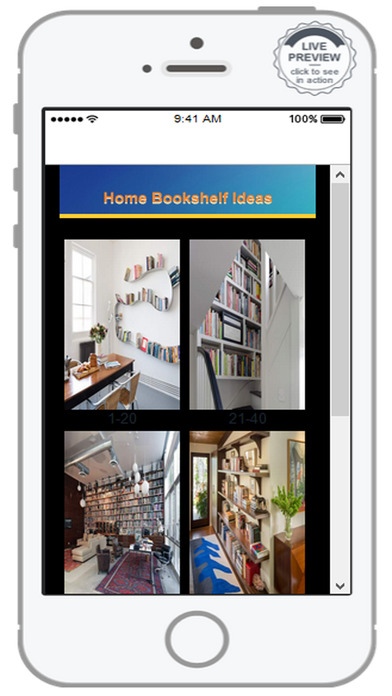
Home Bookshelf Ideas1.0 - App Store
You'll be able to see results in few seconds.
Publisher Description
Wooden Ladder
Have an old wooden ladder in that shed that's no longer being put to use? In this DIY Shelf Ideas Application, you could have yourself a free bookshelf with just a few nails and hammer. Flipping the ladder on it's side, it acts as a horizontal shelf, whereby the two side poles support the books, and the rungs act as built in book ends. The older the wood, the better. This will surely transform any room into a vintage-classic space.
Old Books
A variety of shelves can be made by using old books. The first is a concealed shelf whereby the book itself acts as the support. Using just a wall bracket and some screws, a hardcover can cover the bottom bracket, and more books can be placed on top. Another option is gather about a dozen of your old and unused books. Using a piece of wood and two wall brackets (similar to that of the first shelf) along with elastic webbing a shelf can be made. Simply staple a piece of the elastic on the wood using a staple gun, and slip the book into the elastic. Repeat this for the other dozen or so books, lining them up next to each other. This will create an inverted book case in your living room, shelf ideas with the wood acting as a shelf and the books seemingly floating underneath.
Suitcases and Old Trunks
Have an old suitcase of ancient trunk lying in that attic? If these have a solid, flat surface, they can be flipped to one side and easily nailed into the wall, book display ideas. Or, these can be opened and the interior can act as a shelf, one tall one; with added planks of wood on the interior, several shorter ones. At the same time, these can be left at ground level, or placed on the wall for a vintage feel.
Wooden Drawers
Wooden and worn drawers make the best shelves to hang on the wall. This wall shelf handles on or off, these can be flipped so that the inside acts as one large shelf. At the same time, the top acts as a second layer of shelving. These are simple to screw right into the wall, and can be picked up for just dollars at a thrift store.
Piano
While most of us don't have unused and unwanted pianos just sitting around, these can make neat bookshelves in the wall shelf designs when tilted to one side and hollowed out. Just add a few wooden shelves of your own and you've got yourself a decent sized shelving unit that will be the focal point of any room.
Old and Unused Wood
If you're the creative type that can work the saw, anything's possible. Using old wood alone, shapes can be created and words can be spelled to not only act as a decoration for any room but second as a shelf. Popular are the branching bookshelves made to look like trees that act as shelving.
Doors
Another idea for the handyman in all of us, this shelf utilizes doors as the book ends to a shelf. Sawed in half, these two parts act as the edges, holding the books in. These doors can be left in their original state, old, worn and wooden, or painted to any color to match the interior.
Requires iOS 6.0 or later. Compatible with iPhone, iPad, and iPod touch.
About Home Bookshelf Ideas
The company that develops Home Bookshelf Ideas is Yudhi Adhitya. The latest version released by its developer is 1.0.
To install Home Bookshelf Ideas on your iOS device, just click the green Continue To App button above to start the installation process. The app is listed on our website since 2016-09-12 and was downloaded 0 times. We have already checked if the download link is safe, however for your own protection we recommend that you scan the downloaded app with your antivirus. Your antivirus may detect the Home Bookshelf Ideas as malware if the download link is broken.
How to install Home Bookshelf Ideas on your iOS device:
- Click on the Continue To App button on our website. This will redirect you to the App Store.
- Once the Home Bookshelf Ideas is shown in the iTunes listing of your iOS device, you can start its download and installation. Tap on the GET button to the right of the app to start downloading it.
- If you are not logged-in the iOS appstore app, you'll be prompted for your your Apple ID and/or password.
- After Home Bookshelf Ideas is downloaded, you'll see an INSTALL button to the right. Tap on it to start the actual installation of the iOS app.
- Once installation is finished you can tap on the OPEN button to start it. Its icon will also be added to your device home screen.
Program Details
System requirements
Download information
Pricing
Version History
version 1.0
posted on 2016-09-12
Disclaimer
Official App Store Link
We do not host Home Bookshelf Ideas on our servers. We did not scan it for viruses, adware, spyware or other type of malware. This app is hosted by Apple and passed their terms and conditions to be listed there. We recommend caution when installing it.
The App Store link for Home Bookshelf Ideas is provided to you by apps112.com without any warranties, representations or guarantees of any kind, so access it at your own risk.
If you have questions regarding this particular app contact the publisher directly. For questions about the functionalities of apps112.com contact us.
